WARNING: ELECTRIC SHOCK HAZARD.May result in Serious Injury or Death. Turn off power at circuit breaker or fuse before installing.
WARNING: Entrapment Hazard. May result in serious injury or death. These controls should only be used to control equipment which is visible from every control location.
CAUTION:Use only with permanently installed lighting loads or with general purpose fan loads
Install in accordance with all national and local electrical codes.
For indoor use only.
Limited Warranty:
www.casetawireless.com/warranty. For a physical copy of warranty information, contact 1.844.403.1795 (Mexico: 1.888.235.2910).
Scroll down and click Accept to view installation information online, or click here to print an install guide. To receive a physical copy of the installation guide call 1.844.403.1795.
Veuillez Lire Avant L’installation
AVERTISSEMENT : RISQUE D’ÉLECTROCUTION.Peut causer des blessures graves ou la mort. Coupez l’alimentation au niveau du disjoncteur ou du fusible avant l’installation.
AVERTISSEMENT : Risque de piégeage.Peut entraîner des blessures graves ou la mort. Ces commandes ne doivent être utilisées que pour contrôler un équipement qui est visible depuis chaque emplacement de commande.
AVERTISSEMENT :À utiliser uniquement avec des charges d’éclairage installées de manière permanente ou avec des charges de ventilateur d’usage général.
Procédez à l’installation conformément à tous les codes électriques locaux et nationaux.
Utilisation à l’intérieur seulement.
Garantie limitée:
www.casetawireless.com/warranty. Pour une copie physique des informations sur la garantie, appelez le 1.844.403.1795 (Mexique : 1.888.235.2910).
Défilez vers le bas et cliquez sur Accepter pour afficher les informations d'installation en ligne ou cliquez ici pour imprimer un guide d'installation. Pour obtenir une copie physique du guide d'installation, appelez le 1.844.403.1795 (Mexique : 1.888.235.2910).
Leer Antes De Instalar
ADVERTENCIA: PELIGRO DE DESCARGA ELÉCTRICA.Podría ocasionar lesiones graves o la muerte. Antes de instalar desconecte la alimentación eléctrica en el disyuntor o el fusible.
ADVERTENCIA: Peligro de atrapamiento. Podría ocasionar lesiones graves o la muerte. Estos controles sólo deberán utilizarse para controlar equipos que sean visibles desde todas las ubicaciones de control.
PRECAUCIÓN:Usar únicamente con cargas de iluminación instaladas permanentemente o con cargas de ventilador para propósitos generales.
Instale de acuerdo con todas las normativas eléctricas nacionales y locales.
Sólo para uso bajo techo.
Garantía limitada:
www.casetawireless.com/warranty. Para obtener una copia física de la información de la garantía, llame al 1.844.403.1795 (México: 1.888.235.2910).
Desplácese hacia abajo y haga clic en Aceptar para ver la información de instalación en línea o haga clic aquí para imprimir una guía de instalación. Para obtener una copia física de la guía de instalación, llame al 1.844.403.1795 (México: 1.888.235.2910).
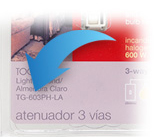
If your product came in plastic packaging (a clamshell), you’ll find the model number on the front of the insert card, on the lower left corner. If your product came in a box, you’ll find the model number on the top of the box.
Most model numbers are 12-16 characters and start with a couple letters followed by a dash.
No packaging? No problem!
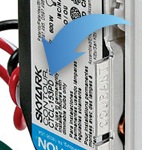
The product number is on a label on the side of the dimmer or switch.*
If you’ve already installed the dimmer/switch, turn off the electricity and then remove the wallplate. Unscrew and remove the wallplate adapter, then unscrew the dimmer/switch and pull it out of the wall until you can see the label.
*Please note: The product number for Ariadni/Toggler dimmers is not on a label. It’s located directly on the front of the dimmer on the top left, or right below the on/off toggle.